Why Use the Xhorse 35160DW Chip?
- Solves the BMW mileage correction “red dot” issue.
- No emulator needed anymore.
- Offers stable and reliable performance.
- Functions identically to the original chip.
- Can replace various chips, including: M35080, M35080-3, M35080-6, M35080V6, M35080VP, D80D0WQ, 160D0WQ, 35160WT, 35128WT.
How to Use the Xhorse 35160DW Chip with VVDI Prog
Procedure:
- Data Backup:
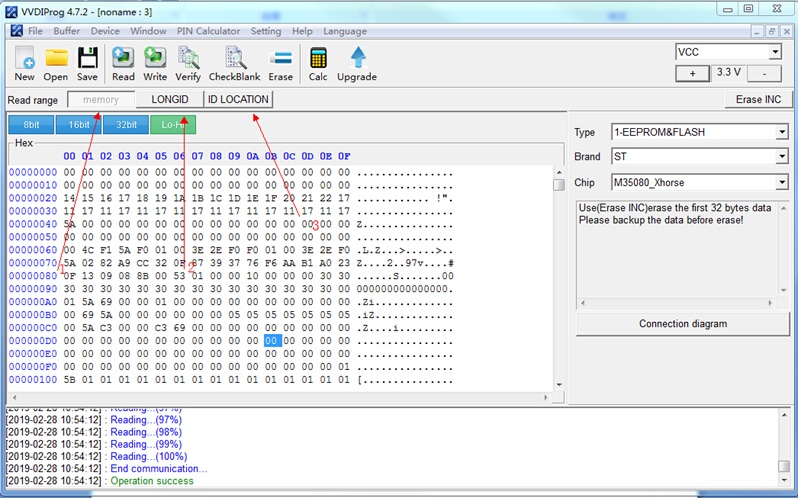
- Read and back up the data from three sections (Memory, LONGID, and IDLOCATION) from the original dashboard IC.
- Soldering:
- Solder the 35160DW chip onto the board using the 8-pin connector included in the VVDI Prog standard package.
- Note: Make sure to use the latest VVDI Prog software for reading and writing data.
- Data Writing:
- Write the backed-up data to the three sections on the new chip.
- If the first two lines of the chip need mileage adjustment, click on “Erase INC” in the top right corner, and then read the data again.
- If the first two lines show zeros, manually enter the new mileage.
- Click “Write” to complete the process.
- Final Check:
- Solder the updated chip back onto the dashboard and check if the system starts properly, with or without a red dot.
Important:
The 35160DW chip is NOT re-writable after installation.
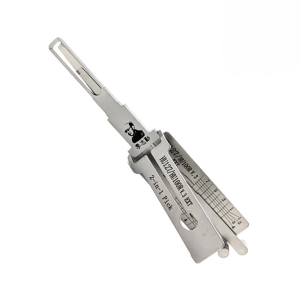 Lishi HU127/HU100R v.3 EXT 2in1 Decoder and Pick for BMW
×
45,99 €1 × 45,99 €
Lishi HU127/HU100R v.3 EXT 2in1 Decoder and Pick for BMW
×
45,99 €1 × 45,99 €